// Home page — modern, F-pattern, white-forward
//
// Reading flow (F-shape):
//   ┌─ Top utility bar (compact, scannable)
//   ├─ Hero: full-bleed photo card with overlapping content slab below
//   ├─ Promise strip — three pillars in one horizontal scan (mid bar of F)
//   └─ Body: sticky left rail + right column for "How a class runs",
//          "Who we welcome", "Voices", "Social", "Closing".
//          Eye lands on rail headline, sweeps right through content.

// Modern hero — full-bleed photo card on top, content slab overlapping bottom-left.
// Full-width hero, photo background, text overlaid (Mathnasium pattern)
const FHero = () => (
  <section className="f-hero f-hero--bleed">
    <div className="f-hero__media-wrap">
      <img
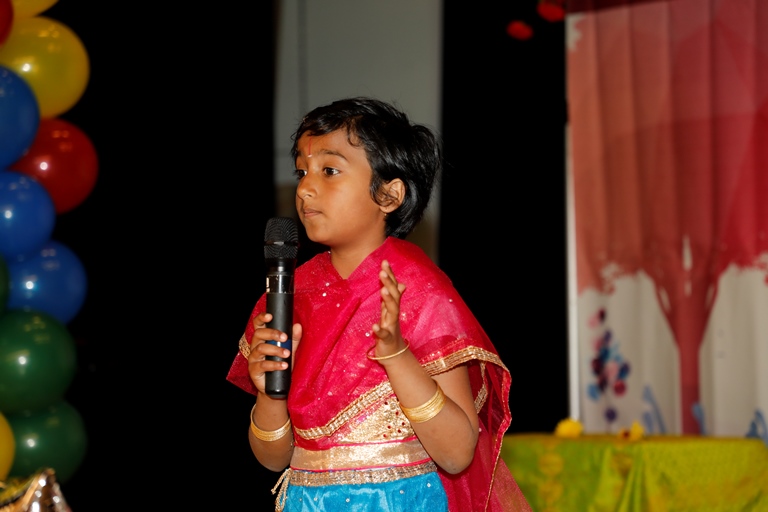
        src="photos/Prajna-Kid-Aditi-at-meet.jpg"
        alt="A Prajna student speaking on stage."
        className="f-hero__photo"
      />
    </div>
    <div className="f-hero__content-wrap">
      <div className="f-hero__content">
        <h1 className="f-hero__title">
          The ability to translate good knowledge<br/>
          <span className="f-hero__title-accent">into action</span>
        </h1>
        <p className="f-hero__lede">
          A joyous journey of Personality Development course for 5 years and above. Holistic
          development. Prajna motivates oneself to lead a value-based life by recognizing the
          need and responding to the call of duty as a responsible world-class citizen by
          drawing inspiration from scriptures like the Bhagavad Gi:tha, the Upanishads, and the
          Ithihasas.
        </p>
        <div className="f-hero__ctas">
          <a href="register.html" className="btn btn--primary btn--lg">Register a Child</a>
          <a href="modules.html" className="btn btn--ghost-light btn--lg">Explore the curriculum</a>
        </div>
      </div>
    </div>
  </section>
);

// Stats band — figures provided by the client, matching the original
// prajna4me.org site. Count-up animation when scrolled into view;
// reduced-motion users see the final values instantly.
const useReducedMotion = () => {
  const [reduced, setReduced] = React.useState(false);
  React.useEffect(() => {
    const mq = window.matchMedia('(prefers-reduced-motion: reduce)');
    setReduced(mq.matches);
    const handler = (e) => setReduced(e.matches);
    if (mq.addEventListener) mq.addEventListener('change', handler);
    return () => { if (mq.removeEventListener) mq.removeEventListener('change', handler); };
  }, []);
  return reduced;
};

const FStat = ({ target, label, run, reduced }) => {
  const [val, setVal] = React.useState(0);
  React.useEffect(() => {
    if (!run) return;
    if (reduced) { setVal(target); return; }
    let raf;
    const duration = 3000;
    const start = performance.now();
    const tick = (now) => {
      const t = Math.min((now - start) / duration, 1);
      const eased = 1 - Math.pow(1 - t, 5);
      setVal(Math.round(target * eased));
      if (t < 1) raf = requestAnimationFrame(tick);
    };
    raf = requestAnimationFrame(tick);
    return () => { if (raf) cancelAnimationFrame(raf); };
  }, [run, target, reduced]);
  return (
    <div className="f-stat">
      <div className="f-stat__num">{val.toLocaleString()}</div>
      <div className="f-stat__label">{label}</div>
    </div>
  );
};

const FStats = () => {
  const wrapRef = React.useRef(null);
  const [run, setRun] = React.useState(false);
  const reduced = useReducedMotion();
  React.useEffect(() => {
    const el = wrapRef.current;
    if (!el) return;
    const obs = new IntersectionObserver(([entry]) => {
      if (entry.isIntersecting) { setRun(true); obs.disconnect(); }
    }, { threshold: 0.3, rootMargin: '0px 0px -8% 0px' });
    obs.observe(el);
    return () => obs.disconnect();
  }, []);
  return (
    <section className="f-stats" aria-label="Program scale" ref={wrapRef}>
      <div className="container">
        <div className="f-stats__grid">
          <FStat target={26}   label="Courses"  run={run} reduced={reduced} />
          <FStat target={119}  label="Centers"  run={run} reduced={reduced} />
          <FStat target={940}  label="Teachers" run={run} reduced={reduced} />
          <FStat target={3777} label="Students" run={run} reduced={reduced} />
        </div>
      </div>
    </section>
  );
};

// Three feature cards — Active Learning, Meet Our Guru, Our Approach.
// Content lifted from prajna4me.org. Each card pairs a photo with bullet list (or paragraph).
const FPromise = () => (
  <section className="f-promise">
    <div className="container">
      <div className="f-promise__pillars">

        <article className="f-pillar f-pillar--orange">
          <img
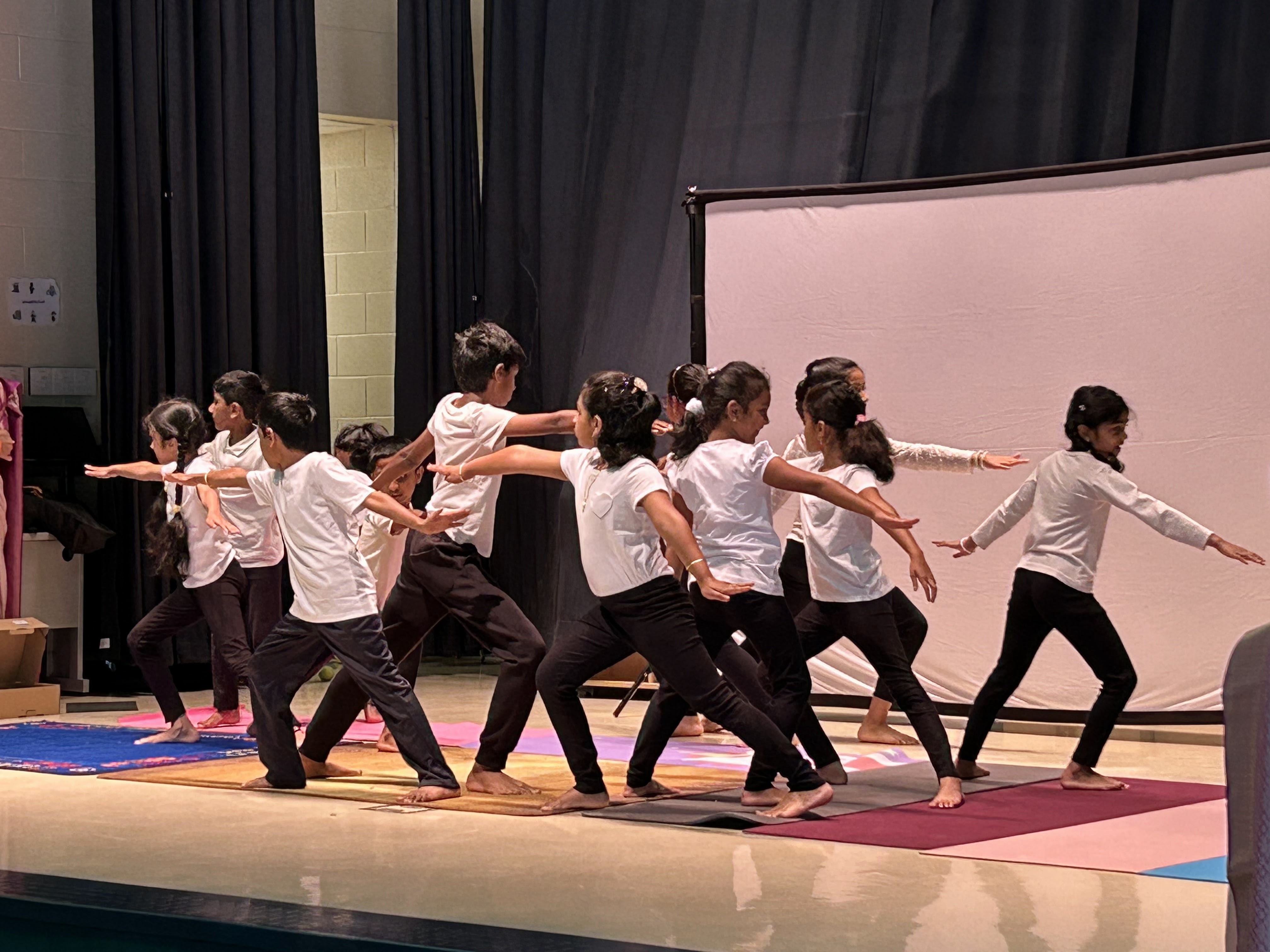
            src="photos/slideshowlanding/IMG_1369.jpg"
            alt="Prajna students in synchronized Warrior II yoga pose on stage"
            className="f-pillar__photo"
          />
          <div className="f-pillar__body">
            <h3 className="f-pillar__t">Active Learning</h3>
            <p className="f-pillar__lede">Rich Vedic culture and heritage.</p>
            <ul className="f-pillar__list">
              <li>Daily prayers</li>
              <li>Community service</li>
              <li>Respect for elders and Mother Nature</li>
              <li>Yoga and bhajans</li>
              <li>Public speaking and leadership</li>
            </ul>
          </div>
        </article>

        <article className="f-pillar f-pillar--gold">
          <img
            src="photos/home_chinnajeeyarswami.jpeg"
            alt="Sri Sri Sri Tridandi Chinna Srimannarayana Ramanuja Jeeyar Swamiji"
            className="f-pillar__photo"
          />
          <div className="f-pillar__body">
            <h3 className="f-pillar__t">Meet Our Guru</h3>
            <p className="f-pillar__paragraph">
              Chinna Jeeyar Swamiji belongs to a respected line of monks called Jeeyars.
              Ever cheerful and active, He radiates hope and joy wherever He goes.
            </p>
            <a href="about.html" className="f-pillar__readmore">Read more</a>
          </div>
        </article>

        <article className="f-pillar f-pillar--blue">
          <img
            src="photos/our_approach.png"
            alt="Children engaged in classroom activities and discussion"
            className="f-pillar__photo"
          />
          <div className="f-pillar__body">
            <h3 className="f-pillar__t">Our Approach</h3>
            <p className="f-pillar__lede">Personal engagement built on pronunciation and active participation.</p>
            <ul className="f-pillar__list">
              <li>Research focused learning</li>
              <li>Audio and video lessons</li>
              <li>Project work that reinforces concepts</li>
              <li>Volunteering builds gratitude</li>
              <li>Periodic assessments and feedback</li>
            </ul>
          </div>
        </article>

      </div>
    </div>
  </section>
);

// F-pattern body section — sticky left rail + scannable right column
const FHowItWorks = () => (
  <section className="f-body" id="what">
    <div className="container f-body__grid">
      <div className="f-rail">
        <h2 className="f-rail__h">A Rhythm Children Look Forward To</h2>
        <p className="f-rail__lede">
          Each class runs about two hours. The shape is gentle and predictable. A story to open
          the heart, a discussion to open the mind, a practice to settle the body, and a moment of
          reflection before goodbye.
        </p>
        <a href="modules.html" className="btn btn--soft" style={{ marginTop: 22 }}>See the full curriculum</a>
      </div>

      <ol className="f-story" style={{ listStyle: 'none', padding: 0, margin: 0 }}>
        {[
          { n: '01', t: 'Story', d: 'A Rishi tale or shloka chosen for your child\'s age and module, read aloud, told together.' },
          { n: '02', t: 'Discussion', d: 'Children unpack what the story means right now, in their own lives. No wrong answers.' },
          { n: '03', t: 'Practice', d: 'Recitation, yoga, bhajans, or practical project work to internalize, not just remember.' },
          { n: '04', t: 'Reflection', d: 'A short journaling or sharing moment. How will I act on this in the week ahead?' },
        ].map(s => (
          <li key={s.n} className="f-story__item">
            <div className="f-story__num">{s.n}</div>
            <div>
              <div className="f-story__t">{s.t}</div>
              <div className="f-story__d">{s.d}</div>
            </div>
          </li>
        ))}
      </ol>
    </div>
  </section>
);

const FAudience = () => (
  <section className="f-audience">
    <div className="container">
      <div className="f-audience__feature">
        <div className="f-audience__feature-photo">
          <img
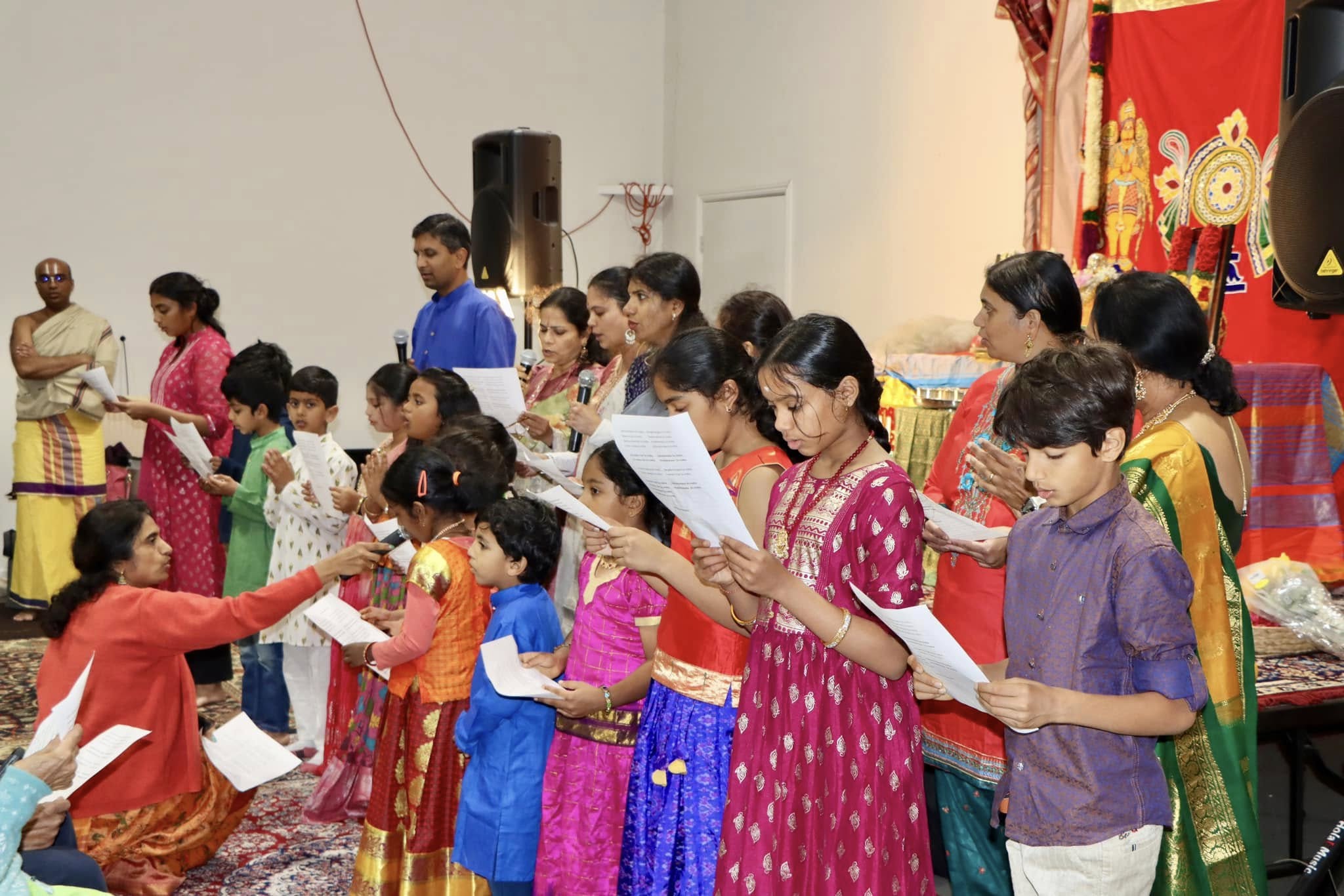
            src="photos/community-bhajan.jpg"
            alt="Prajna parents and children singing bhajans together at a Saturday meet"
          />
        </div>
        <div className="f-audience__feature-body">
          <h2 className="f-rail__h">Get Involved</h2>
          <p className="f-rail__lede">
            Bring your child into a Saturday class, or join the volunteer team of parents
            and teachers who make Prajna happen each week. Either way, you&rsquo;ll find a
            community ready to welcome you.
          </p>
          <div className="f-audience__feature-ctas">
            <a href="register.html" className="btn btn--primary btn--lg">Register a Child</a>
            <a href="contact.html" className="btn btn--ghost btn--lg">Teach or Volunteer</a>
          </div>
        </div>
      </div>
    </div>
  </section>
);

// Student showcase — featured spotlight + thumbnail row underneath.
// Solves the "carousel slide-1 only" problem: visitors see all students at a glance,
// click a thumbnail to swap the featured spotlight. Manual only, keyboard accessible.
const SHOWCASE = SHOWCASE_ITEMS; // real student media — defined in shared.jsx

const FShowcase = () => {
  const [active, setActive] = React.useState(0);
  const [autoplay, setAutoplay] = React.useState(false);
  const a = SHOWCASE[active];
  const prev = () => setActive((active - 1 + SHOWCASE.length) % SHOWCASE.length);
  const next = () => setActive((active + 1) % SHOWCASE.length);

  // Auto-advance every 5 seconds when autoplay is on. Depends on `active`
  // too so the 5-second timer resets whenever the user manually navigates,
  // instead of firing immediately after their click.
  React.useEffect(() => {
    if (!autoplay) return undefined;
    const id = setInterval(() => {
      setActive(i => (i + 1) % SHOWCASE.length);
    }, 5000);
    return () => clearInterval(id);
  }, [autoplay, active]);

  return (
    <section
      className="f-showcase"
      aria-label="Student showcase"
      aria-roledescription="carousel"
      onKeyDown={(e) => {
        if (e.key === 'ArrowRight') { e.preventDefault(); next(); }
        if (e.key === 'ArrowLeft')  { e.preventDefault(); prev(); }
      }}
    >
      <div className="container">
        <div className="f-showcase__head">
          <h2 className="f-rail__h" style={{ marginTop: 0, marginBottom: 0 }}>Student Showcase</h2>
          <a href="showcase.html" className="btn btn--ghost btn--sm">See all student work</a>
        </div>

        <div className="f-showcase__feature" aria-live="polite">
          <div className="f-showcase__media">
            {a.type === 'video'
              ? <video className="f-showcase__photo" src={a.src} poster={a.poster} controls playsInline preload="metadata"></video>
              : <img src={a.src} alt={a.title} className="f-showcase__photo" />}
          </div>
          <div className="f-showcase__copy">
            <h3 className="f-showcase__title">{a.title}</h3>
            <div className="f-showcase__attrib">{a.name}{a.age ? `, age ${a.age}` : ''}{a.center ? ` · ${a.center}` : ''}</div>
            <p className="f-showcase__blurb">{a.blurb}</p>
            <div className="f-showcase__copy-foot">
              <div className="f-showcase__count">{active + 1} of {SHOWCASE.length}</div>
              <button
                type="button"
                className={'f-showcase__autoplay' + (autoplay ? ' is-active' : '')}
                onClick={() => setAutoplay(v => !v)}
                aria-pressed={autoplay}
                aria-label={autoplay ? 'Stop autoplay' : 'Start autoplay (5 seconds per slide)'}
              >
                {autoplay ? (
                  <svg viewBox="0 0 24 24" width="14" height="14" fill="currentColor" aria-hidden="true">
                    <rect x="6" y="5" width="4" height="14" rx="1"/>
                    <rect x="14" y="5" width="4" height="14" rx="1"/>
                  </svg>
                ) : (
                  <svg viewBox="0 0 24 24" width="14" height="14" fill="currentColor" aria-hidden="true">
                    <path d="M8 5v14l11-7L8 5z"/>
                  </svg>
                )}
                {autoplay ? 'Auto-Playing' : 'Autoplay'}
              </button>
              <div className="f-showcase__nav-pair">
                <button className="f-showcase__nav" onClick={prev} aria-label="Previous student">
                  <svg viewBox="0 0 24 24" width="18" height="18" fill="none" stroke="currentColor" strokeWidth="2" strokeLinecap="round" strokeLinejoin="round">
                    <path d="M15 18l-6-6 6-6"/>
                  </svg>
                </button>
                <button className="f-showcase__nav" onClick={next} aria-label="Next student">
                  <svg viewBox="0 0 24 24" width="18" height="18" fill="none" stroke="currentColor" strokeWidth="2" strokeLinecap="round" strokeLinejoin="round">
                    <path d="M9 18l6-6-6-6"/>
                  </svg>
                </button>
              </div>
            </div>
          </div>
        </div>

        <div className="f-showcase__dots" role="tablist" aria-label="Jump to student">
          {SHOWCASE.map((s, i) => (
            <button
              key={s.name}
              role="tab"
              aria-selected={i === active}
              aria-label={`Show ${s.name}`}
              onClick={() => setActive(i)}
              className={'f-showcase__dot' + (i === active ? ' f-showcase__dot--active' : '')}
            />
          ))}
        </div>
      </div>
    </section>
  );
};

// Stay Connected — a manual + optional-autoplay carousel of Facebook /
// Instagram embeds.
//
// Robustness notes (why this isn't just raw iframes):
//   - Each slide is rendered ONCE (no marquee DOM-doubling), so we don't load
//     the same Facebook post in two iframes at the same time.
//   - iframes are lazy-loaded, so off-screen frames don't all hit Facebook at
//     once (concurrent loads were getting throttled into blank "blocked boxes").
//   - A "View on Facebook/Instagram" link sits BEHIND every frame. If a
//     visitor's browser blocks social iframes (tracking protection, ad
//     blockers, strict privacy mode), the frame is transparent and the link
//     shows through instead of an empty box.
//
// To add a post: grab its embed URL from the post's "Embed" option and add a
// row below. `src` = the plugins/*.php iframe URL, `link` = the plain post URL
// (the fallback), width/height = the embed's pixel size.
// Slide order keeps the Facebook video between Instagram reels so no two
// Instagram /embed iframes load side by side — Instagram throttles concurrent
// embeds and a clustered reel would blank out. All current clips are portrait;
// embeds use their natural aspect at 340 wide.
//
// BACKUP EMBEDS — if a live post ever gets blocked/removed (a card shows
// "Sorry, something went wrong"), swap its src for a known-good PORTRAIT
// Facebook video id: 2150626855454725, 1391869435449567. Build the src as:
//   https://www.facebook.com/plugins/video.php?height=606&href=<URL-ENCODED video url>&show_text=false&width=340&t=0
// Instagram reels use: https://www.instagram.com/reel/<ID>/embed
// (Landscape clips 1953524302119290 / 1104549911230863 were removed — they
//  don't fit the tall vertical card without stretching.)
const SOCIAL_SLIDES = [
  {
    network: 'Instagram', title: 'Prajna Instagram reel', width: 340, height: 640,
    src: 'https://www.instagram.com/reel/DZ5oxj3STgq/embed',
    link: 'https://www.instagram.com/reel/DZ5oxj3STgq/',
  },
  {
    network: 'Facebook', title: 'Prajna Global Facebook video', width: 340, height: 606,
    src: 'https://www.facebook.com/plugins/video.php?height=606&href=https%3A%2F%2Fwww.facebook.com%2Fprajnaglobal%2Fvideos%2F2150626855454725%2F&show_text=false&width=340&t=0',
    link: 'https://www.facebook.com/prajnaglobal/videos/2150626855454725/',
  },
  {
    network: 'Instagram', title: 'Prajna Instagram reel', width: 340, height: 640,
    src: 'https://www.instagram.com/reel/DLa8GtaBi3A/embed',
    link: 'https://www.instagram.com/reel/DLa8GtaBi3A/',
  },
  {
    network: 'Instagram', title: 'Prajna Instagram reel', width: 340, height: 640,
    src: 'https://www.instagram.com/reel/DPHIOz0EYBc/embed',
    link: 'https://www.instagram.com/reel/DPHIOz0EYBc/',
  },
];

const FSocial = () => {
  const trackRef = React.useRef(null);
  const [pos, setPos] = React.useState(0);
  const [step, setStep] = React.useState(0);
  // Autoplay defaults OFF so nothing moves until the user opts in by
  // clicking play. Naturally WCAG-compliant for users with motion sensitivity.
  const [autoplay, setAutoplay] = React.useState(false);

  // Instagram embed.js polling removed — the IG slide now uses a direct
  // iframe to the /embed endpoint, same pattern as the Facebook posts.

  // Measure the actual slide width on mount + resize so the JS transform
  // matches what the flex layout rendered. 20px = gap between slides.
  React.useEffect(() => {
    const measure = () => {
      const track = trackRef.current;
      if (!track) return;
      const firstSlide = track.querySelector('.f-social-slides__slide');
      if (!firstSlide) return;
      setStep(firstSlide.getBoundingClientRect().width + 20);
    };
    measure();
    window.addEventListener('resize', measure);
    return () => window.removeEventListener('resize', measure);
  }, []);

  // pos = index of the LEFTMOST visible slide. Cannot scroll past the end.
  // On overshoot in either direction, wrap to the opposite end so it feels
  // like an infinite merry-go-round.
  const visibleSlides = step > 0 && trackRef.current
    ? Math.max(1, Math.round(trackRef.current.parentElement.getBoundingClientRect().width / step))
    : 3;
  const maxPos = Math.max(0, SOCIAL_SLIDES.length - visibleSlides);
  const advance = (dir) => {
    // Clicking an arrow always pauses autoplay, so the manual position
    // sticks. The user can re-engage continuous scroll via the play button.
    setAutoplay(false);
    setPos(p => {
      const next = p + dir;
      if (next < 0) return maxPos;
      if (next > maxPos) return 0;
      return next;
    });
  };

  // Autoplay advances one slide every few seconds and wraps at the end.
  // Driven by a JS interval (not a CSS marquee) so we never have to duplicate
  // the slide DOM — each Facebook/Instagram iframe loads exactly once. Resets
  // whenever `pos` changes so a manual nav restarts the timer cleanly.
  React.useEffect(() => {
    if (!autoplay) return undefined;
    const id = setInterval(() => {
      setPos(p => (p + 1 > maxPos ? 0 : p + 1));
    }, 4500);
    return () => clearInterval(id);
  }, [autoplay, maxPos, pos]);

  return (
    <section
      className="f-social-slides"
      aria-label="Social posts"
      aria-roledescription="carousel"
      onKeyDown={(e) => {
        if (e.key === 'ArrowRight') { e.preventDefault(); advance(1); }
        if (e.key === 'ArrowLeft')  { e.preventDefault(); advance(-1); }
      }}
    >
      <div className="container">
        <div className="f-social-slides__head">
          <div>
            <h2 className="f-rail__h">Stay Connected</h2>
          </div>
          <div className="f-social-slides__handles">
            <a href="https://www.instagram.com/prajna4me/" target="_blank" rel="noopener noreferrer" className="f-social-slides__handle">
              <SocialIcon kind="instagram" /> @prajna4me
            </a>
            <a href="https://www.facebook.com/prajnaglobal/" target="_blank" rel="noopener noreferrer" className="f-social-slides__handle">
              <SocialIcon kind="facebook" /> Prajna Global
            </a>
            <button
              type="button"
              className="f-social-slides__playpause"
              onClick={() => setAutoplay(p => !p)}
              aria-label={autoplay ? 'Pause auto-scrolling' : 'Play auto-scrolling'}
              aria-pressed={autoplay}
              title={autoplay ? 'Pause auto-scrolling' : 'Play auto-scrolling'}
            >
              {autoplay ? (
                <svg viewBox="0 0 24 24" width="16" height="16" fill="currentColor" aria-hidden="true">
                  <rect x="6" y="5" width="4" height="14" rx="1"/>
                  <rect x="14" y="5" width="4" height="14" rx="1"/>
                </svg>
              ) : (
                <svg viewBox="0 0 24 24" width="16" height="16" fill="currentColor" aria-hidden="true">
                  <path d="M8 5v14l11-7L8 5z"/>
                </svg>
              )}
            </button>
          </div>
        </div>

        <div className="f-social-slides__row">
          <button
            className="f-social-slides__arrow f-social-slides__arrow--prev"
            onClick={() => advance(-1)}
            aria-label="Previous post"
            title="Previous post (pauses autoplay)"
          >
            <svg viewBox="0 0 24 24" width="20" height="20" fill="none" stroke="currentColor" strokeWidth="2.2" strokeLinecap="round" strokeLinejoin="round" aria-hidden="true">
              <path d="M15 18l-6-6 6-6"/>
            </svg>
          </button>
          <div className="f-social-slides__viewport">
          <div
            className="f-social-slides__track"
            ref={trackRef}
            style={{ transform: 'translateX(-' + (pos * step) + 'px)' }}
          >
          {SOCIAL_SLIDES.map((s, i) => (
            <div key={i} className="f-social-slides__slide">
              <div className="f-social-slides__card" style={{ width: s.width, maxWidth: '100%' }}>
                <iframe
                  title={s.title}
                  className="f-social-slides__frame"
                  src={s.src}
                  width={s.width}
                  height={s.height}
                  loading="lazy"
                  scrolling="no"
                  frameBorder="0"
                  allowFullScreen={true}
                  allow="autoplay; clipboard-write; encrypted-media; picture-in-picture; web-share"
                />
              </div>
            </div>
          ))}
          </div>
          </div>
          <button
            className="f-social-slides__arrow f-social-slides__arrow--next"
            onClick={() => advance(1)}
            aria-label="Next post"
            title="Next post (pauses autoplay)"
          >
            <svg viewBox="0 0 24 24" width="20" height="20" fill="none" stroke="currentColor" strokeWidth="2.2" strokeLinecap="round" strokeLinejoin="round" aria-hidden="true">
              <path d="M9 18l6-6-6-6"/>
            </svg>
          </button>
        </div>

      </div>
    </section>
  );
};

// Parent Voices — real video testimonials recorded at the JET USA Charlotte
// chapter (parents holding Prajna / LMiG signs in front of the chapter banner).
// Cards sit in the same 3-up grid as the rest of the page; each video is the
// height of the old quote box. No captions per the team's request.
const VOICES = [
  { src: 'photos/voices/voice1.mp4', poster: 'photos/voices/voice1.jpg' },
  { src: 'photos/voices/voice2.mp4', poster: 'photos/voices/voice2.jpg' },
  { src: 'photos/voices/voice3.mp4', poster: 'photos/voices/voice3.jpg' },
];

const FVoices = () => (
  <section className="f-voices f-voices--compact">
    <div className="container">
      <h2 className="f-rail__h" style={{ marginBottom: 28 }}>Parent Voices</h2>
      <div className="f-voices__row">
        {VOICES.map((v, i) => (
          <figure key={i} className="f-voice-vid" style={{ margin: 0 }}>
            <video
              className="f-voice-vid__media"
              src={v.src}
              poster={v.poster}
              controls
              playsInline
              preload="none"
            ></video>
          </figure>
        ))}
      </div>
    </div>
  </section>
);

// Light closing — standalone Q&A invitation card on white.
const FClosing = () => (
  <section className="f-closing-light">
    <div className="container">
      <div className="f-closing-light__qa-wrap">
        <h2 className="f-closing-light__h">FAQ</h2>
        <ul className="f-closing-light__qa">
          {[
            { q: 'How much does it cost?', a: 'Varies by center', href: 'faq.html' },
            { q: 'How long is a class?', a: 'About 2 hours, weekends', href: 'faq.html' },
            { q: 'Do I need any background?', a: 'No prior knowledge needed', href: 'faq.html' },
            { q: 'What ages?', a: '5 through 17', href: 'modules.html' },
            { q: 'In what language?', a: 'English plus regional', href: 'faq.html' },
          ].map(r => (
            <li key={r.q}>
              <a href={r.href} className="f-closing-light__qa-row">
                <span className="f-closing-light__qa-q">{r.q}</span>
                <span className="f-closing-light__qa-a">{r.a} <span aria-hidden="true"></span></span>
              </a>
            </li>
          ))}
        </ul>
      </div>
    </div>
  </section>
);

// Wavy section divider — sits between a white section and a colored band
// (or vice versa). The wrapper div bg is the section BELOW the divider;
// the SVG path fill is the section ABOVE, drawn as a wavy shape bleeding
// down into the bottom color. ViewBox 1440x120, paths use the upper half
// of the viewBox so the wavy bottom edge is visible.
// Scalloped band edge — sits at the top or bottom of a colored band
// (currently .f-audience) and "cuts" WHITE bump tongues into the band from
// the surrounding page bg. Each tongue is 160px wide x 30px deep, with
// flat tops along y=0 that share their edge with neighbors so the row of
// bumps joins smoothly at horizontal tangents.
let SCALLOP_ID = 0;
const BandScallop = ({ position }) => {
  const id = React.useMemo(() => 'band-scallop-' + (++SCALLOP_ID), []);
  return (
    <svg
      className={'band-scallop band-scallop--' + position}
      xmlns="http://www.w3.org/2000/svg"
      aria-hidden="true"
    >
      <defs>
        <pattern id={id} width="160" height="30" patternUnits="userSpaceOnUse">
          <path d="M0,0 L160,0 C120,0 120,30 80,30 C40,30 40,0 0,0 Z" fill="#ffffff" />
        </pattern>
      </defs>
      <rect width="100%" height="100%" fill={'url(#' + id + ')'} />
    </svg>
  );
};

const HomePage = () => (
  <>
    <Header active="Home" />
    <FHero />
    <FStats />
    <FPromise />
    <FAudience />
    <FShowcase />
    <FSocial />
    <FVoices />
    <FClosing />
    <Footer />
    <div className="mobile-cta"><a href="register.html" className="btn btn--primary btn--lg">Register a Child</a></div>
  </>
);

window.HomePage = HomePage;